A fast photo library for your own photographs.
Tens of thousands of them, on your own disks. Portman2 is a Windows desktop application for people who take photographs seriously — not a cloud service, and not somewhere else to upload to.
It reads the folders you already have and keeps its catalogue and its thumbnails in a cache of its own, beside your photographs and never inside them. The tools for making a photograph look right are built in, and they are the ones you already know the names of.
Download for Windows Windows 10 or later, 64-bit.
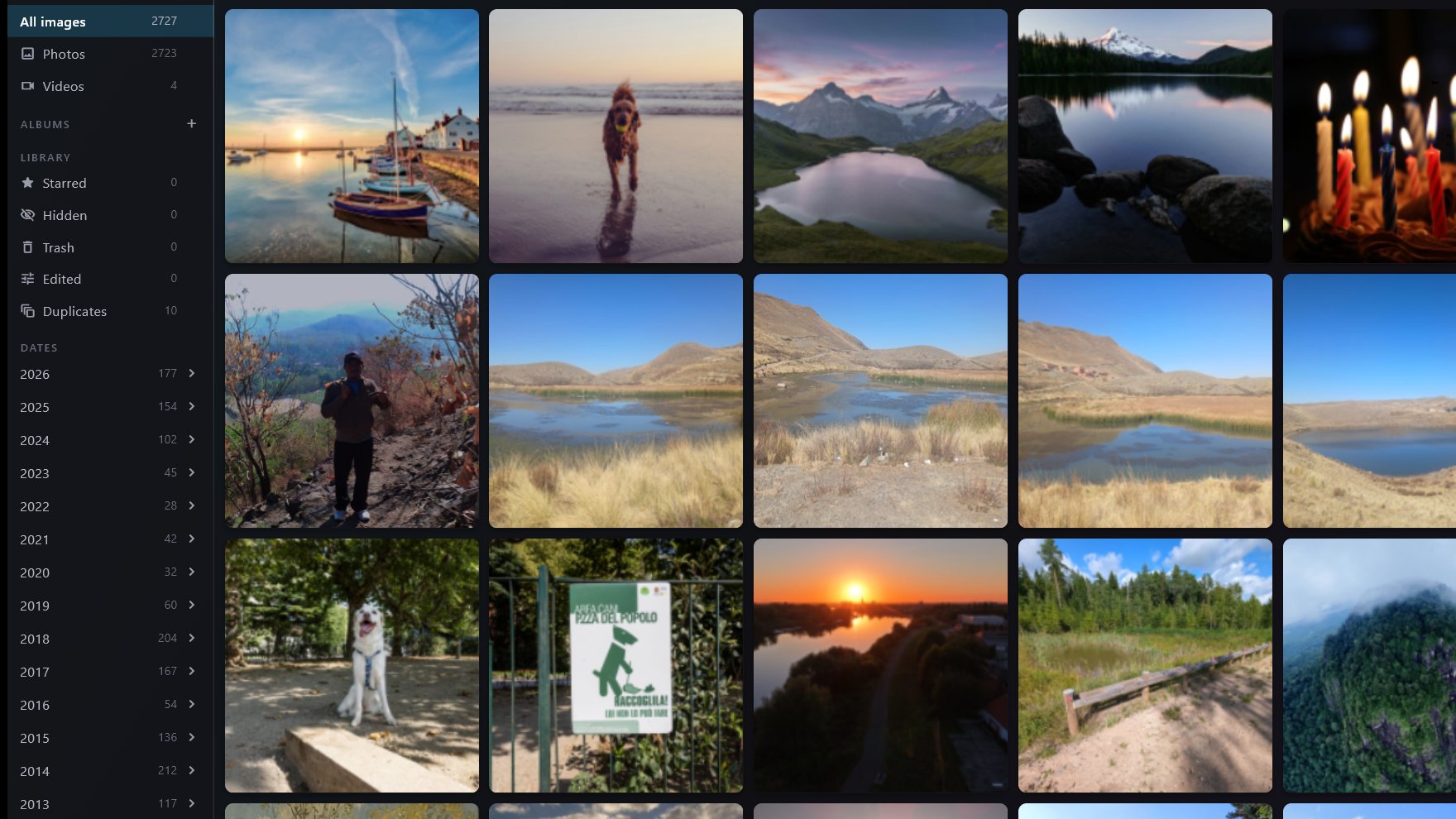
The library view. Every screenshot on this site is of the demo library this project keeps for the purpose — 2,727 openly licensed photographs and clips — and never of anybody's own photographs.
Where your photographs live
On your disks. A folder on this machine, or a folder on the network drive in the cupboard. Portman2 indexes what is there and leaves it where it is: the catalogue, the thumbnails and the untouched original of anything you edit go into a cache of its own.
There is no account to make and nothing to sign into, and nothing uploads your photographs, because there is nowhere for them to go — there is no cloud service behind this application. Copying an album out to somewhere else, for sending to somebody, is not built yet.
What the application does send, it asks about first. It offers once, when you install it, to report that this copy exists, and it takes no for an answer. The privacy page is the whole of what leaves this machine, item by item.
Your library, on the other screens in the house
Portman2 has a small web server of its own. Switch it on for a library and every phone, tablet and laptop on the same network can browse it from a browser, by date, by tag or by album, with nothing to install on them.
It is also the answer to showing somebody the photographs without sending them anywhere. The files stay on your disk; the other device is only looking. Albums can be made and filled from there too, so the person on the sofa with the phone can do the picking.
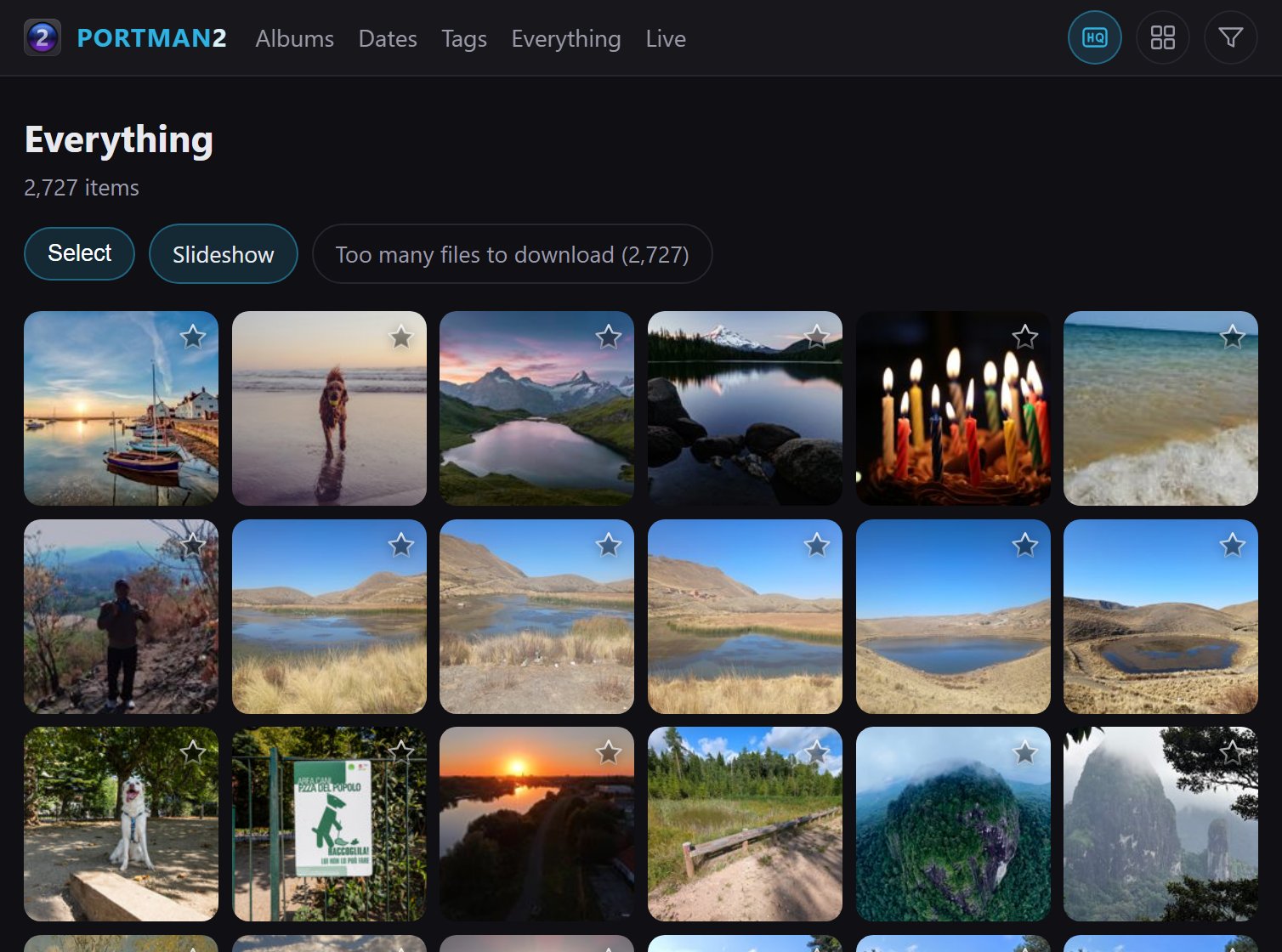
The same demo library in a browser on another device on the network, served by the application itself.
What it does not do yet is set itself up. There is no pairing step and no invitation to send: you type the machine's own name and a port number into the browser on the phone. That is the whole of the setup, and it is also all of the setup there is.
What it does
Library management first, and making a photograph look right quickly second. Between them that is the whole of it.
- Compare and view
- Put a handful of near-identical frames up side by side, lock their zoom together, and keep the one that won.
- The preview screen
- A second window that always shows the photograph you are on, full size, while you go on working in the grid.
- One surface for one photograph or thirty
- Edit a whole selection at once, every tile previewing live. A change made on the sheet lands on all of them; a change made on one photograph belongs to that photograph.
- Classic colour work
- Curves, highlights and shadows, white balance, crop, a live histogram — and the original is kept, so an edit is never the last word.
- Duplicates and near-duplicates
- The same photograph imported twice from two cards is one row with a count against it, and anything that merely looks like the one you are on is a keystroke away.
What this is not
There is no generative AI in Portman2. No generative fill, no sky replacement, no button that says enhance. A photograph here is what the camera recorded and what you decided to do with it.
There is machine learning, and it is worth being exact about rather than quiet about: the application can run a detector on your own machine, on your own graphics card, to work out what the subject of a photograph is so that selecting it is one click. It makes no suggestions, it invents nothing, and it sends nothing anywhere. There is no face recognition.
There is no subscription, no account and no trial. The installer is a download.
Will it cope with my library?
Over 80,000 photographs
on a consumer NAS, over an ordinary home network
That is the library Portman2 is built against and used on every day. It is not a benchmark: it is a household's own collection, on the network drive in the cupboard, and the application is expected to open it and stay usable.
There is deliberately no timing on this page. A number of seconds is a claim about somebody else's hardware — their drive, their network, their graphics card, how much of their cache is warm — and a visitor who got a worse number than the page promised would be right to conclude the product was broken. The size is the honest half of the answer: eighty thousand photographs is eighty thousand photographs on anybody's machine.
Download Portman2
One installer. It is free, there is nothing to sign up for, and the download asks nothing about you.
Windows 10 or later, 64-bit.
Portman2 is in beta. Features are still being added, nothing here should be taken as final, and things can change or be removed without notice.